
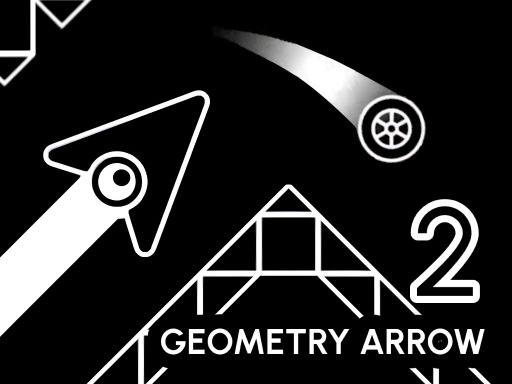
Play Geometry Arrow 2 Online
Geometry Arrow 2 is the fast-paced sequel to the original rhythm arcade hit! Navigate through 6 dynamic levels, dodging obstacles that move to the beat. Switch between the Arrow and the all-new Wheel character, each with unique mechanics. Unlock achievements and customize your Arrow and Wheel with different skins, particles, and block textures. Time your moves, feel the rhythm, and reach the portal in perfect sync!
What this run actually looks like
- Geometry Arrow 2 renders at 800×600, a 4:3 landscape frame, which makes it desktop and tablet in practice.
- The publisher documents 3 mapped inputs spread across keyboard, mouse and touch.
- It sits in Obby and Parkour next to 86 other titles and carries 6 descriptive tags, led by Geometry, Platformer, Skill, Music and Arcade.
- Its closest neighbour in the library is JUMPER, which overlaps on 3 tags (Skill, Arcade, Obby).
- It runs as a single-player session, so nothing on the page waits for a second controller.
- The near-square 4:3 frame fits either orientation without cropping.
How to play Geometry Arrow 2
| Input | Key or gesture | Action |
|---|---|---|
| Keyboard | Space | Move |
| Mouse | Left mouse button | Move |
| Touch | Tap | Dodge |
- Landing accuracy depends on short taps rather than long holds.
- Arcade pacing means one input, instant restart, and no menu detour.
- It is filed under the geometry tag, so expect that mechanic to drive what the single input does.
- The canvas is 800×600 (4:3 landscape), so a phone should be turned sideways before the first input.
Publisher instructions, unedited
Goal: Reach the portal without crashing into obstacles. How to play: Select any of the 6 levels from the main menu. Tap/click at the right moment to dodge obstacles in sync with the music. Each level includes both Arrow and Wheel segments. Controls: PC Press SPACEBAR or LEFT MOUSE BUTTON to move or jump. Press ESC to exit the level. Mobile Tap the screen to move or jump in rhythm. Quick reactions and precise timing are key to success!
Device and display
- Native resolution
- 800 × 600
- Aspect ratio
- 4:3
- Orientation
- Landscape
- Canvas class
- Compact canvas
- Best fit
- Desktop and tablet
- Phone orientation
- Either orientation works
- Fullscreen
- Optional, the frame fits inline
- Technology
- HTML5 in an iframe
Advertisement
How Geometry Arrow 2 compares
| Game | Category | Shared tags | Display |
|---|---|---|---|
 JUMPER JUMPER | Obby | Skill, Arcade, Obby | 800×600 · Landscape |
 Monster School Challenge Monster School Challenge | Obby | Platformer, Arcade, Obby | 800×600 · Landscape |
 Geometry Vibes 3D Geometry Vibes 3D | Obby | Geometry, Arcade, Obby | 960×600 · Landscape |
 Rollance Going Balls Rollance Going Balls | Obby | Platformer, Skill, Obby | 1280×720 · Landscape |
 Glitch Glitch | Obby | Platformer, Arcade, Obby | 960×600 · Landscape |
Tags on this game
Advertisement
Games Like Geometry Arrow 2

Advertisement