

Play Ultimate Destruction Simulator Online
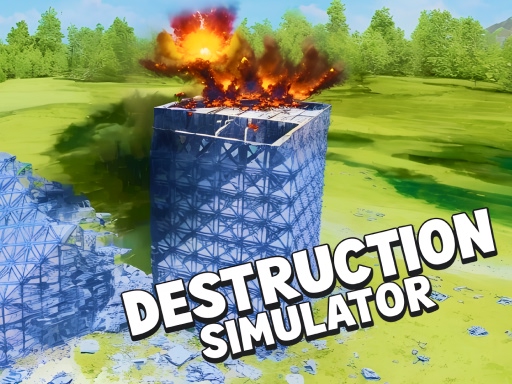
Unleash your destructive side in this ultimate demolition experience! Enjoy realistic tower destruction with dynamic physics, and take control of time—slow it down, speed it up, or freeze the action. Experiment with gravity modes, from low to high or even zero gravity, and customize every detail, including debris levels, destructibility, and atmospheric dust. Built for fans of destruction, this game offers the smash-and-crash fun you've been craving!
What this run actually looks like
- Ultimate Destruction Simulator renders at 800×600, a 4:3 landscape frame, which makes it desktop and tablet in practice.
- The publisher documents 3 mapped inputs spread across keyboard, mouse and touch.
- It sits in Arcade Chaos next to 131 other titles and carries 5 descriptive tags: Building, Destroy, Physics, Ragdoll and Chaos.
- Its closest neighbour in the library is Ragdoll Show: Throw, Break and Destroy!, which overlaps on 4 tags (Destroy, Physics, Ragdoll, Chaos).
- It runs as a single-player session, so nothing on the page waits for a second controller.
- The near-square 4:3 frame fits either orientation without cropping.
How to play Ultimate Destruction Simulator
| Input | Key or gesture | Action |
|---|---|---|
| Keyboard | W A S D | Move |
| Mouse | Left mouse button | Shoot or throw |
| Mouse | Scroll wheel | Zoom |
- Objects react with momentum, so short taps work better than constant pressure.
- It is filed under the building tag, so expect that mechanic to drive what the single input does.
- It is filed under the destroy tag, so expect that mechanic to drive what the single input does.
- The canvas is 800×600 (4:3 landscape), so a phone should be turned sideways before the first input.
Publisher instructions, unedited
From the computer, press the LMB (Left Mouse Button) to shoot. Movement on WASD (and QE to raise the camera). Mouse wheel up/down - speeds up (slows down) time. T - starts the timer to explode the installed charges. F - stop time. B - weaponry. Escape (2 times) - menu. The rest is through the game interface. For mobile use your fingers and game interface :)
Device and display
- Native resolution
- 800 × 600
- Aspect ratio
- 4:3
- Orientation
- Landscape
- Canvas class
- Compact canvas
- Best fit
- Desktop and tablet
- Phone orientation
- Either orientation works
- Fullscreen
- Optional, the frame fits inline
- Technology
- HTML5 in an iframe
Advertisement
How Ultimate Destruction Simulator compares
| Game | Category | Shared tags | Display |
|---|---|---|---|
 Ragdoll Show: Throw, Break and Destroy! Ragdoll Show: Throw, Break and Destroy! | Chaos | Destroy, Physics, Ragdoll, Chaos | 800×600 · Landscape |
 Demolition Derby Derby Demolition Derby Derby | Chaos | Destroy, Physics, Chaos | 800×600 · Landscape |
 Marshmallow Rush Marshmallow Rush | Chaos | Physics, Chaos | 750×1334 · Portrait |
 Stickman Dismount Simulator Stickman Dismount Simulator | Chaos | Ragdoll, Chaos | 800×600 · Landscape |
 Destruction Simulator Destruction Simulator | Chaos | Destroy, Chaos | 800×600 · Landscape |
Tags on this game
Advertisement
Games Like Ultimate Destruction Simulator

Advertisement